
For contractors & field techs
MyHomeService360 Pro in your pocket.
Your office and your techs on one app: today's jobs, dispatch, tickets, photos, signatures, invoices, and card payments right at the customer's door.
Sign in once
Enter your Business ID, pick Office or Technician, and sign in. The app keeps you signed in on that phone.
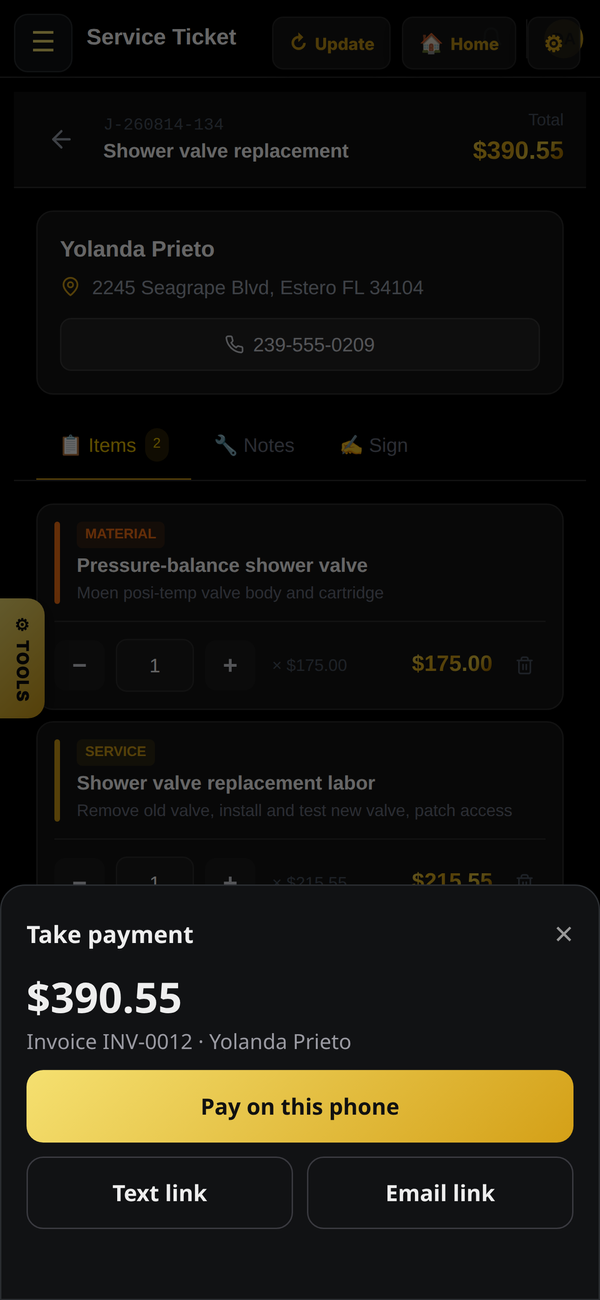
Get paid on the spot
Take payment from the job ticket: Tap to Pay on supported phones, secure checkout on your phone, or text the customer a link.
Always current
The app runs the live MyHomeService360, so new features and fixes show up without an update.
Android: install the APK
- On your Android phone, tap Get the APK above.
- Open the download. If asked, allow your browser to install unknown apps.
- Tap Install, then open MHS Pro.
- Enter your Business ID (your office has it) and sign in.
iPhone: add it to your Home Screen today
- Open Safari and go to your company's sign-in page, or dashboard.myhomeservice360.com.
- Tap the Share button, then Add to Home Screen.
- Open it from your Home Screen and sign in. Tick Keep me signed in to stay signed in.

On a computer?
Scan this with your phone's camera to open this page there.
Scan this with your phone's camera to open this page there.