
Home › Features › Invoicing & payments
Invoicing & payments · Free
Send the invoice. Get paid. Watch it post to your books.
Text or email a pay link, take a card over the phone or a bank payment by ACH, keep a card on file or collect a deposit. Money goes to your bank through Stripe and every payment posts to your ledger automatically.
No credit card · no contract · unlimited users
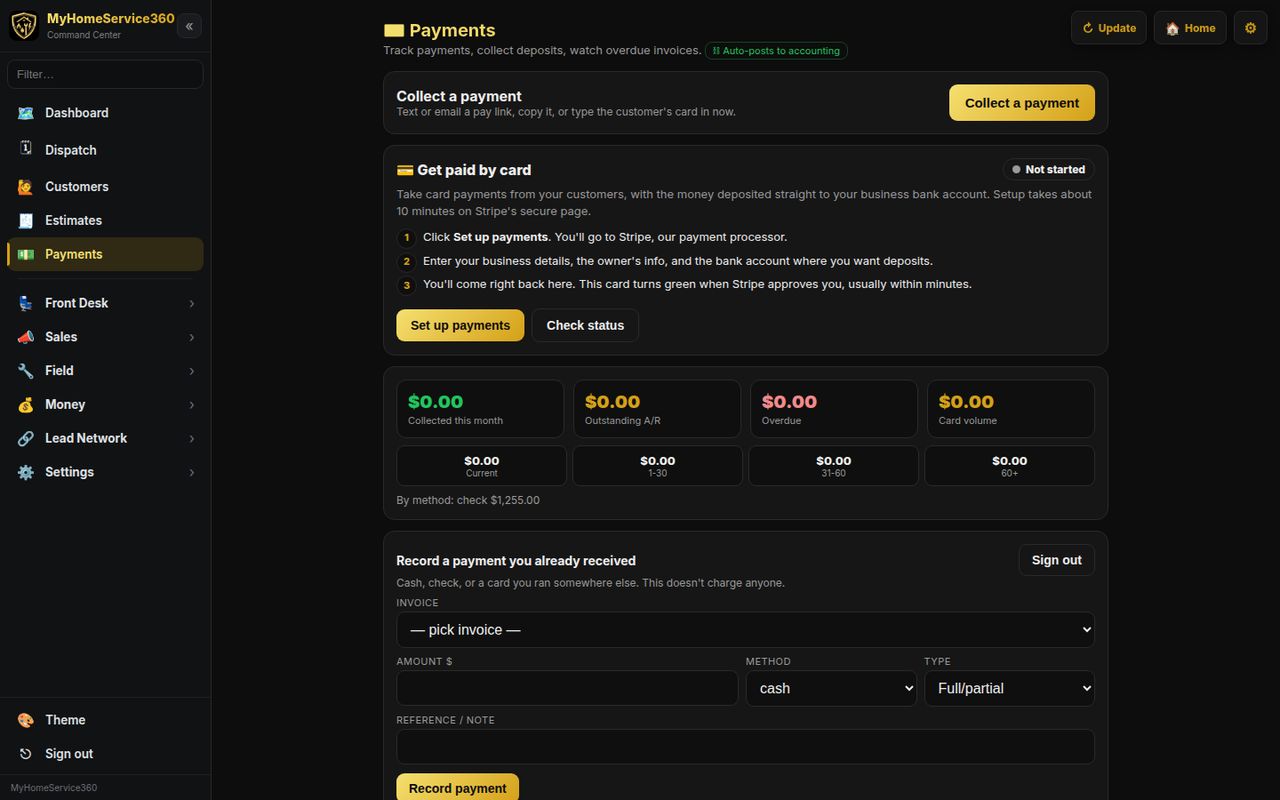
Real screen from MyHomeService360. Names and numbers are sample data.
Invoicing & payments highlights
Pay links by text or email
Send a secure checkout link, copy it into any message, or type the customer’s card in yourself.
Cards on file and deposits
Save a card for repeat customers and take deposits on approved proposals.
Posts to accounting
Settled payments clear the invoice and land in your books, so there’s nothing to re-enter.
See who owes you, and how long
The payments center shows what you collected this month, what’s outstanding and what’s overdue, with aging buckets for current, 1–30, 31–60 and 60+ days.
- Collected, outstanding and overdue totals
- Aging buckets
- Totals by payment method
Take payment at the door
Techs can take payment from the job ticket in the pro app, including Tap to Pay on supported Android phones, or text the customer a link.
- Tap to Pay on supported Android phones
- Card reader requests for the office
- Tap to Pay on iPhone Coming soon
Included free
What’s included in Invoicing & payments
No add-on tiers. Every company gets all of it, with unlimited users.
- Invoices from estimates and job tickets
- Text and email pay links
- Keyed card entry
- Cards on file
- Deposits
- Record cash, check and other payments free
- Aging and overdue tracking
- Optional card surcharge setting
- Auto-posting to accounting
- ACH bank payments (never more than $10 a payment)
- Tap to Pay on iPhone Coming soon
Works together
One login runs the rest of the shop, too
Accounting
A full ledger built into the app: books, bills, bank and reports.
Learn more →Estimates & proposals
Good, better, best options the customer picks, signs and pays a deposit on.
Learn more →Service plans & memberships
Maintenance agreements with visits, renewals, reminders and checklists.
Learn more →Reporting & KPIs
Revenue, close rate, money owed, tech scoreboards and job profit.
Learn more →Invoicing & payments questions
What does it cost to take a card payment?
Stripe’s processing fee of 2.9% + 30¢ plus our 1% platform fee. On a $500 card payment that’s $14.80 to Stripe and $5.00 to us. Recording cash and check payments is free. Full details are on the pricing page.
Do I have to take card payments through you?
No. The software is free either way. You can record payments you take anywhere else, and the 1% only applies to card payments processed through MyHomeService360.
When does the money reach my bank?
Card payments are processed by Stripe and paid out to the bank account you connect, on Stripe’s payout schedule for your account.
Can I pass the card fee on to the customer?
There’s a surcharge setting. Only use it where your state allows surcharging and within card network rules.
Do you support ACH bank payments?
Yes. Turn ACH on in Payments and customers can pay from their bank with no card fee. It costs Stripe’s 0.8% (max $5) plus our 1% (max $5), never more than $10 a payment, and takes about 4 business days to clear.
Run the whole shop free, starting today.
Set up your company in a few minutes. No credit card, no contract, no per-user fees. Bring your crew and your customers.
$0 a month · unlimited users · card payments cost Stripe’s fee plus our 1%